

How to Scan Your Film Photos: Flatbed Scanner, Nikon Coolscan or Camera?

Which method should you choose to digitize your slides, negatives, and film archives?
Recently, I sorted through four boxes of slides and selected around 400–500 photos. Some will be published on this blog, while others, around 5%, may be printed in large format. To digitize them, I compared three options: an Epson flatbed scanner, a Nikon Coolscan scanner, and camera-based reproduction.
Option 1: Epson Perfection 4990 Flatbed Scanner with VueScan
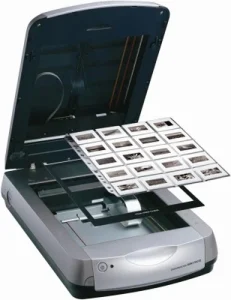 Epson Perfection 4990
I bought this flatbed scanner around 2005 to scan medium format film (120) shot with a Holga. Its high resolution was a plus for 35mm film (135), which I never got around to scanning. To get it working again, I purchased VueScan for more precise settings, since the Epson driver is no longer updated for recent macOS versions.
Tip: you can download a trial version of VueScan by registering on the website. Wait for the follow-up email with the 25% discount before buying.
Pros:
- ICE technology for dust removal.
- Well-suited for 120 and 4x5" film formats.
Cons:
- Not sharp enough for 35mm, especially if slides curl, due to shallow depth of field and lack of a true lens.
- Images often lack micro-contrast and dynamic range, with a flat and slightly hazy look, especially with 35mm scans.
Option 2: Nikon Coolscan LS-40 / LS-50 / LS-4000 / LS-5000 with VueScan
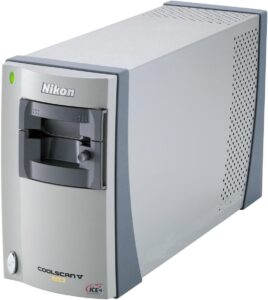 Nikon CoolScan V ED
As head of the digital transition at the DPPI photo agency in 1996, I used several Nikon Coolscan models, including the LS-2000, LS-4000 and LS-5000 with SF-200 feeders, to scan our reportage images and archives before fully switching to digital with the Nikon D1, which offered better image quality at a lower cost than the Kodak DCS.
Pros:
- 4000 dpi optical resolution.
- Effective ICE technology.
- Reliable for professional use.
Cons:
- Only available second-hand, with widely varying condition.
- Risk of dusty sensors, smoke residue or mechanical failure.
- High prices: €400–500 for the LS-40/50 and €1000–1500 for the LS-4000/5000.
Option 3: Camera Digitization with a Slide and Film Duplicator
Update, July 23, 2026: after digitizing a large part of my film archives with the JJC FDA K-1, I switched to the VALOI easy35 v2. The JJC still offers excellent value for money and produces very good image quality, but the VALOI is better suited to processing large batches of negatives and slides. Its film holders speed up the workflow and, with the appropriate holder, allow the black border and perforations of the negative to be reproduced. I describe the installation, advantages, limitations and use of the system with the Nikon Z8 in my hands-on review of the VALOI easy35 v2.
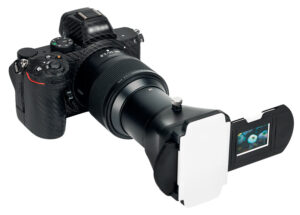 JJC FDA K 1
Context
Unconvinced by the Nikon ES-2, due to its rounded shape and limited compatibility, I tested and adopted an alternative: the JJC FDA K-1, paired with a Yongnuo YN300 II LED light.
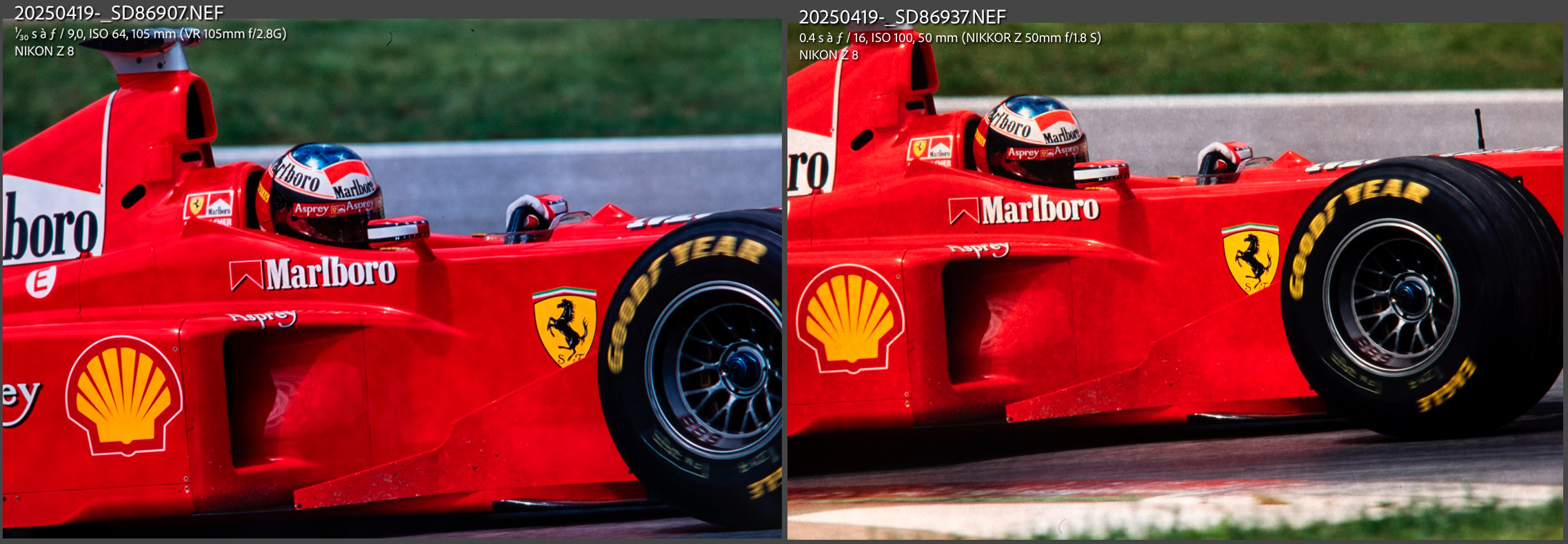
To validate this setup before buying, I inserted a piece of kraft paper between the diffuser and the barn doors, taped a slide to the outside of the doors, and positioned the whole setup vertically facing my Nikon camera. I used a Sigma MACRO 105mm F2.8 EX DG OS HSM on a Nikon Z8 via the FTZ adapter and an extension tube, mounted on a mini tripod. The goal was to assess sharpness and determine whether the setup allowed for large-format prints.
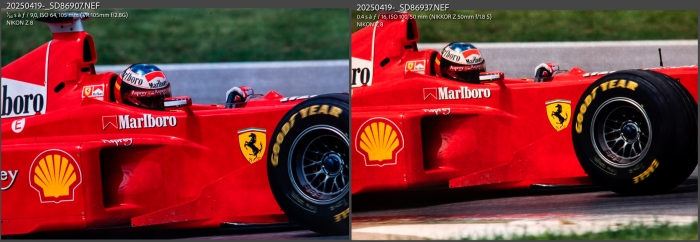
DIY
If you're on a budget or enjoy building your own gear, this approach can replace the Nikon ES-2 or JJC FDA K-1, as long as you:
- Build a mask to block stray light and hold the slide securely for fast, repeatable placement.
- Use a texture-free diffuser such as frosted plexiglass. During my test, shooting at f/8 and then f/11 revealed the kraft paper texture in the background.
- Build a support system to ensure sensor-to-slide alignment and parallelism.
Testing the JJC FDA K-1
I ordered the JJC kit with a frosted plexiglass diffuser but without the backlight module.
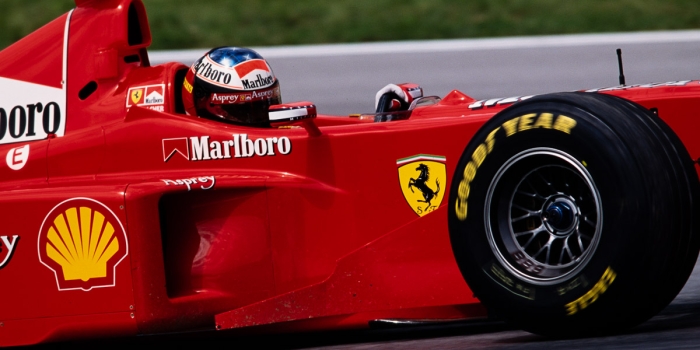
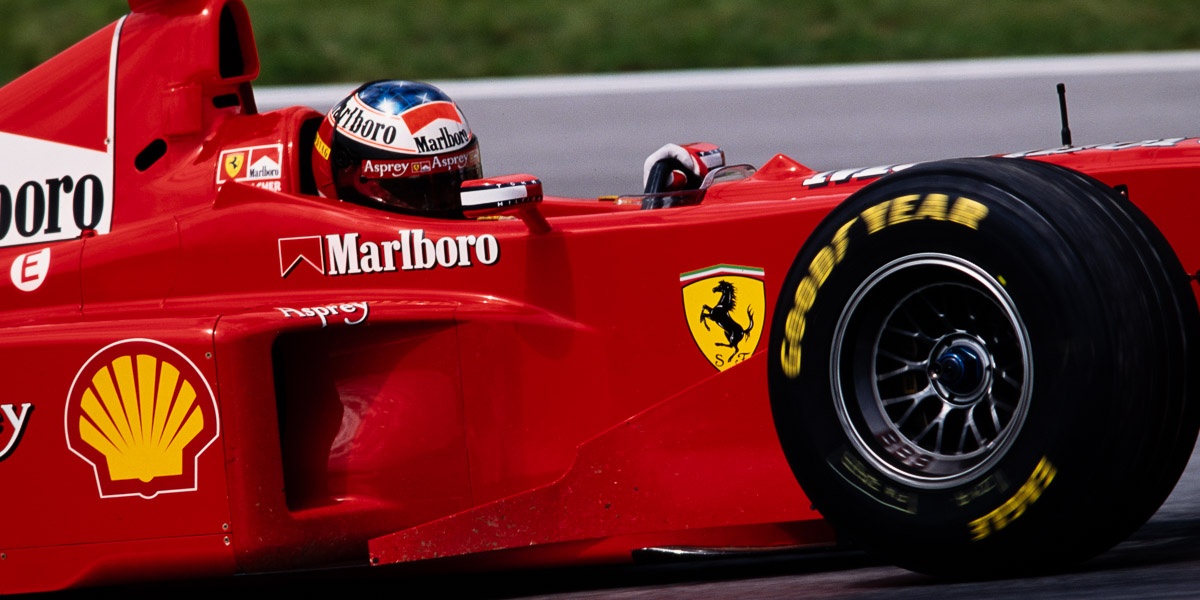
The results were convincing, as shown by this image of Michael Schumacher in a Ferrari at the 1998 Austrian Grand Prix, cropped to a panoramic format in Lightroom. All the photos in the article F1 with Brad Pitt: Relive 1990s Formula 1 in Photographs were digitized using a Nikon Z8, a 50mm f/1.8 S lens, extension tubes and a JJC film holder.
Pros:
- Native resolution of 45 MP with the Nikon Z8, Z9 or Z7 II, providing exceptional detail.
- Very fast capture time of less than one second.
- RAW files with excellent editing flexibility.
- Great cropping potential.
- Even lighting thanks to the frosted diffuser.
- Solid aluminum tube construction.
Cons:
- No ICE: slides must be manually cleaned, with dust spots removed in Lightroom or Photoshop.
- EXIF metadata reflect the digital camera, not the original photograph’s exposure settings or date.
Warnings:
- Extension tubes may be required depending on the lens you use. Choose tubes with electronic contacts to maintain communication between the lens and camera. I tested Viltrox and Meike tubes for the Nikon Z mount, and the Meike models are better made.
- At 100% in Lightroom, the image may look soft because of the sensor’s resolution, 8200 × 5500 pixels or approximately 5800 dpi, which exceeds the film’s optical resolution, around 2500 dpi for Fujifilm RDP 100 Provia. See also my film vs digital resolution comparison.
- Slide film using the E6 process has high contrast and limited exposure latitude, making adjustments difficult even with a RAW file. Color shifts can occur if processing was flawed or the film has aged poorly. Tint drifts such as green/magenta, blue/yellow or cyan/red may appear and can be difficult to correct, although Lightroom’s Color Grading tools provide some scope for recovery.
- Digitizing black-and-white negative film comes with its own challenges, which I discuss in the article Digitizing Black and White Negatives with a Camera and Developing Them in Lightroom.
Other digitization methods
Rotary drum scanners, once favored by prepress professionals in the 1990s, became somewhat more accessible in the early 2000s with the arrival of Hi-Scan Eurocore scanners.
The DPPI laboratory at Magenta purchased two of them around 1998. They offered superb quality but were costly and required regular maintenance. By 2007, finding spare parts was already difficult.
Slides were mounted on a plexiglass drum and secured with Rhodoid film and contact oil. The oil prevented Newton rings, interference patterns caused by two glossy surfaces touching, but required careful cleaning after every scan.
This technology was gradually replaced by Imacon Flextight scanners and professional flatbed scanners, which offered comparable quality without the need for wet mounting.
My advice: I do not recommend buying a used drum scanner unless you work in a well-equipped laboratory and still have access to technical support capable of maintaining it.
Conclusion
Among the three methods compared, camera-based reproduction remains the fastest, most flexible and most cost-effective solution for my needs. If you already own a 24 to 45 MP DSLR or mirrorless camera and a macro lens, the JJC FDA K-1 remains an excellent and affordable option for digitizing slides and negatives in RAW with very good image quality.
Since July 2026, however, I have been using the VALOI easy35 v2 to process my archives more quickly. Its integrated light source and film holders for negative strips and mounted slides simplify the workflow. It can also reproduce the negative with its black border and perforations, which the standard JJC FDA K-1 film holder cannot do.
Note: be sure to clean your film thoroughly, as well as the front and rear elements of your lens. At f/8 or f/11, dust on the front element will be blurred but may still appear in the captured image.
Capture time is extremely short because the entire sensor is used in a single exposure. However, dust removal and scratch correction must be carried out manually in Lightroom or Photoshop.
Flatbed scanners remain suitable for medium and large formats, or for occasional use if you already own one. Nikon Coolscan models deliver excellent 35mm quality, particularly for batch scanning with an automatic feeder, but purchasing and maintaining one is more demanding.
Summary of options:
- Flatbed scanner with transparency adapter: recommended for low-resolution scans of 35mm slides, or for medium and large formats.
- Nikon Coolscan scanners: designed for 35mm film and suitable for high-quality scans, particularly the LS-4000 and LS-5000 with the SF-200 feeder. The LS-8000 and LS-9000 can also scan 120 film.
- Other brands such as Plustek and Minolta offer more affordable alternatives, particularly on the second-hand market, although I have not tested them.
- Professional scanners such as the Imacon Flextight deliver exceptional results but remain very expensive.
- Camera-based digitization: ideal if you already own a suitable camera. Fast, flexible and independent of proprietary software, this method allows capture in RAW for optimal post-processing. The JJC FDA K-1 is an affordable, high-quality solution. The VALOI easy35 v2 is better suited to processing large quantities of film and reproducing negatives with their borders.
Practical Tips for Digitizing Slides and Negatives with a Digital Camera
If you simply want to identify what is on your film strips before digitizing them, see How to Preview Film Negatives with a Smartphone.
- Clean your film carefully using a blower and an antistatic brush. Only use a microfiber cloth if the film is free of visible particles.
- Make sure your slides or negatives are flat to prevent softness near the edges.
- Use an even and stable light source with a CRI above 95 for accurate color rendering.
- Shoot between f/8 and f/11 for maximum sharpness without sacrificing too much optical quality.
- Shoot in RAW for maximum post-processing flexibility, particularly for white balance and highlight recovery.
- Use Lightroom or Photoshop for final editing, including dust removal, scratch repair and color corrections.
Note: this article is not sponsored. It contains no e-commerce links or purchase recommendations. My opinion is entirely personal.
About the Author
Sebastien Desnoulez is a professional photographer specializing in architecture, landscape and travel photography. Trained in photography in the mid-1980s, he covered Formula 1 races and reported from around the globe before devoting himself to a more demanding fine art photography practice blending composition, light and emotion. He also shares his technical expertise through hands-on articles for passionate photographers, built on a solid background in both film and digital photography.
FAQ – Scanning Slides and Film Negatives
What is the best method for scanning 35mm slides?
Camera-based reproduction using a digital camera, a macro lens and a film duplicator is now my preferred method. The JJC FDA K-1 is an affordable solution that delivers very good image quality. To digitize large quantities of film more quickly and preserve the black border of the negative, I now use the VALOI easy35 v2.
Is it worth investing in a Nikon Coolscan scanner?
Yes, if you want professional-quality results from 35mm film and benefit from ICE dust-removal technology. However, these scanners are only available second-hand and can be costly to maintain.
Are flatbed scanners like Epson good enough?
Yes, for medium or large formats, or for occasional use. However, they lack sharpness and contrast when scanning 35mm film.
Which lens should I use for digitizing slides?
A 50mm or 105mm macro lens is ideal. It should provide 1:1 magnification. Extension tubes can be used if necessary.
Can I scan film with a Nikon Z camera?
Absolutely. I use a Nikon Z8, initially with the JJC FDA K-1 and now with the VALOI easy35 v2. Its high-resolution sensor captures fine detail and produces files suitable for large prints.
What lighting is best for scanning film?
A continuous LED light source with a Color Rendering Index of 95 or more is recommended. It should be even and properly diffused.
Why do scanned images sometimes look soft at 100% zoom?
Digital sensors can record far more pixels than the film can resolve. A well-scanned slide may only contain around 2500 to 3000 dpi of real detail, which can appear soft when viewed at 100% in a 45 MP file without appropriate sharpening.
How can I correct color casts from aged slides?
Use the white balance and Color Grading tools in Lightroom or Photoshop. Some color shifts caused by aging or incorrect processing can be partially corrected in post-production.
How do I remove dust or scratches from scans?
Nikon scanners equipped with ICE technology can remove many defects automatically. With a digital camera setup, the film must be cleaned carefully and remaining dust or scratches retouched manually in Lightroom or Photoshop.
Tags